Version 0.24
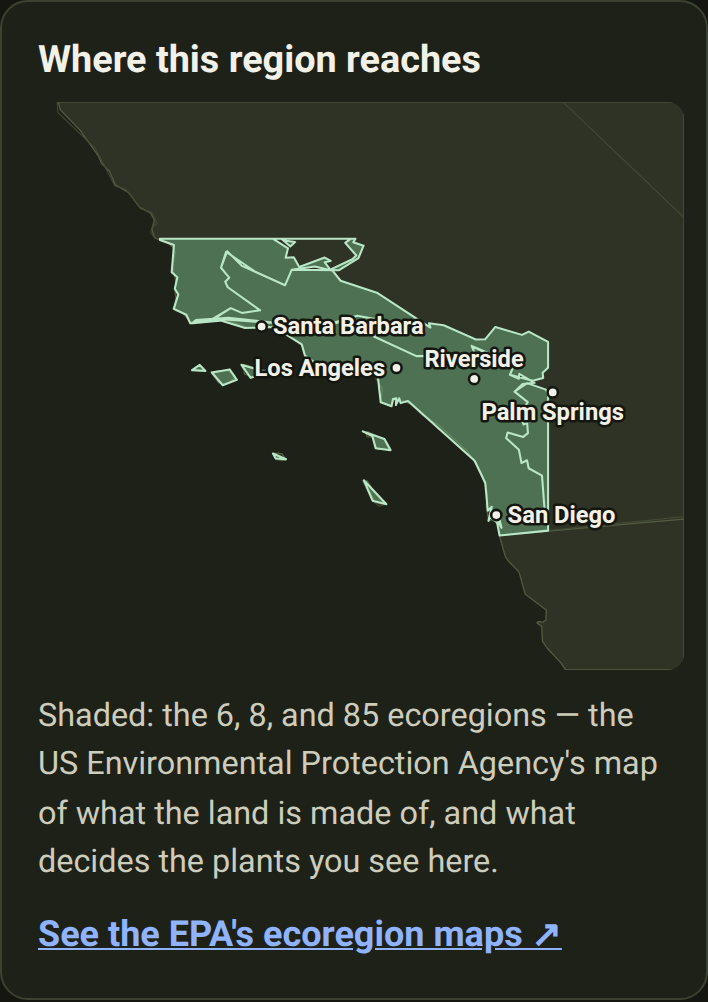
Southern California, and a map of where every region ends
August 7, 2026
The region list before · and after


Added
- Southern California is covered — 60 natives for the coast and the foothills. Coast live oak, the sages, toyon, manzanita, matilija poppy, and the wildlife each one feeds. The care notes are written for a dry summer: which plants must never be watered in July. See the list.
- Three plants a nursery might sell you by mistake in southern California. Tropical milkweed beside the native narrowleaf one, pampas grass beside deergrass, firethorn beside toyon — each with the tells you can check standing in front of the plant. See them.
- Every region page now has a map of the region. The Pacific Northwest, for one, now shows how far it reaches: the area shaded, the state lines around it, and a caption naming the landmarks at its edges. The maps work offline.
- The Mid-Atlantic now follows real ecoregion edges, not a rectangle drawn on a map — see the shape on its page. A few places just outside it, like the Adirondacks and north-western Ohio, are now told we have no list yet, rather than handed the wrong one.
- We now count how many times each page is opened. One outside service is told that a page was opened, and which one. No cookie, nothing kept to recognise you, never your location or a spot you've saved, and search words are stripped off first.
- Every way to grow more, and when in the year to do it. Each of the fifteen techniques now has a page of its own, with the season to do it in. Ways to grow more lays them all against the four seasons.
- Every technique page says how long you'll be waiting, and how it usually goes wrong. Three to six weeks for a soft green cutting; eighteen months for a seed with double dormancy. Each names the one slip that wastes the attempt.
- The windows are seasons and signs, never dates. February in the Florida Keys is April in Pennsylvania. So: take the cutting if a bent shoot tip snaps cleanly, collect fern spores when the frond backs turn brown, sow fresh seed the week it ripens.
- A reading list for anyone who wants more than one page. Ways to grow more now names the eight free resources every propagation note is written from, with a line on what each is good for.
- Sharing one of these pages shows a picture of the year. Post a link to taking hardwood cuttings and the preview arrives with winter lit, before anyone has tapped anything.
- Every plant now has a photo page of its own. The whole plant from a few steps back, then leaves, flowers and fruit up close, each chosen by a person and labelled. Look for 📷 More photos under the plant's name — alder buckthorn's, for instance.
- Animals can have real photographs too. The butterflies, bees, birds and mammals in Wildlife were drawn as an emoji, which tells you it's a butterfly and nothing about which one. They now use real, credited photographs.
- The French edition is finished. Choosing French used to translate the buttons and then hand you English paragraphs. Every one of them is now in French: all 229 plants, the 65 animals and the 27 look-alikes.
- Plants that grow in two regions now say the right thing in each. Hornbeam is a garden hedge in the west of France and a great forest tree in the east. The French follows that split, as the English always did.
- You can send someone straight to one part of a plant's page. Every heading now carries a small
#: tap it and the link to that section is copied. Follow one and the card lights up green for a moment.
Fixed
- Three groups of animals had French names that never appeared. "Osmies et andrènes", "Abeilles spécialistes des astéracées" and "Colibri d'Anna et colibri roux" were written down, but filed in a way that showed a French reader the scientific name instead.
Changed
- "Ways to grow more" uses the whole screen on a computer. The page was a narrow strip of cards with empty space either side; the techniques now lay out three across, and it is half as tall. On a phone, nothing changes.
- "What it does for the ecosystem" is a third shorter. The seven things a plant does now sit as a list you can read in one look, with each explanation appearing when you ask for it — hover on a computer, tap on a phone.